Tagging the Turret on the Track
When you start with the turret it is best to start from the inside and work your way out. By this I mean start with the Gun mesh first. I have selected my gun mesh and hid everything else on the Display tab. Now this M113 is only armed with a 50 caliber machinegun so it will only require the machine gun tag. The Helper Point tag for a MG on a turreted vehicle is ^WeaponFX0 and the Main Gun is ^WeaponFX1. The x-axis of the Helper Points must point in the direction of fire. Remember to place the Helper Points in your Top viewport.
Here is what the MG tag should look like:
Flip back to the Front or Back viewport to adjust the height of the Helper Point.
Here is what the Main Gun tag should look like:
Here is a shot from the Front Viewport:
Now I am going to delete the tag for the Main Gun since I don't want this gun to fire tank shells. The next tag that we need is a capital "O" Helper point for the Main gun group.
Here is a shot of it in the Top Viewport:
Change the view to the Front viewport to position the tag vertically.
Here is a picture for reference:
Now we are ready to create the Main Gun Group. Select all of the visible mesh, go to the Group Menu, and select Group from the menu. Name your Main Gun Group like this: <n><maingun>M113 Once again substitute the name of your vehicle for M113.
Here is how it should look:
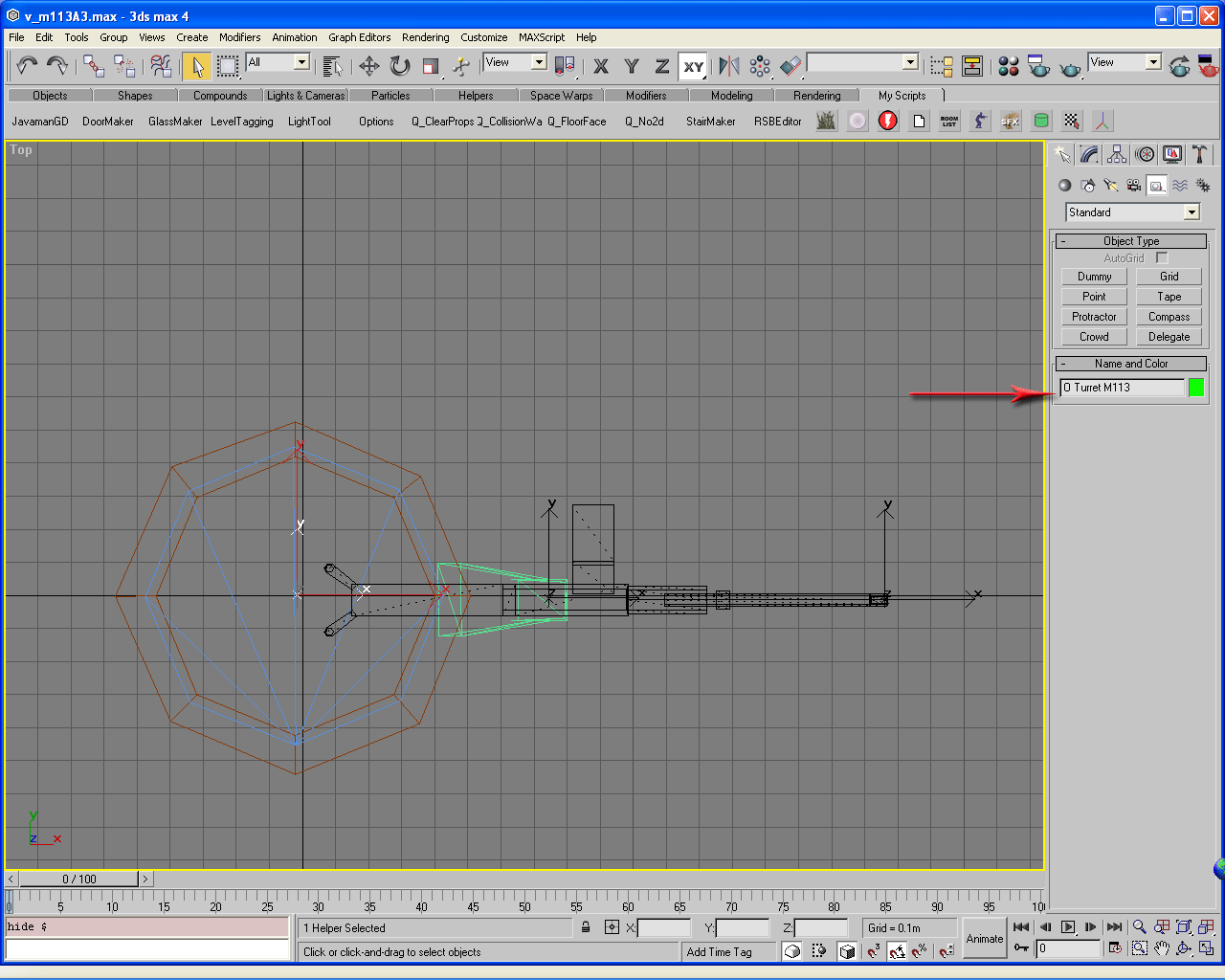
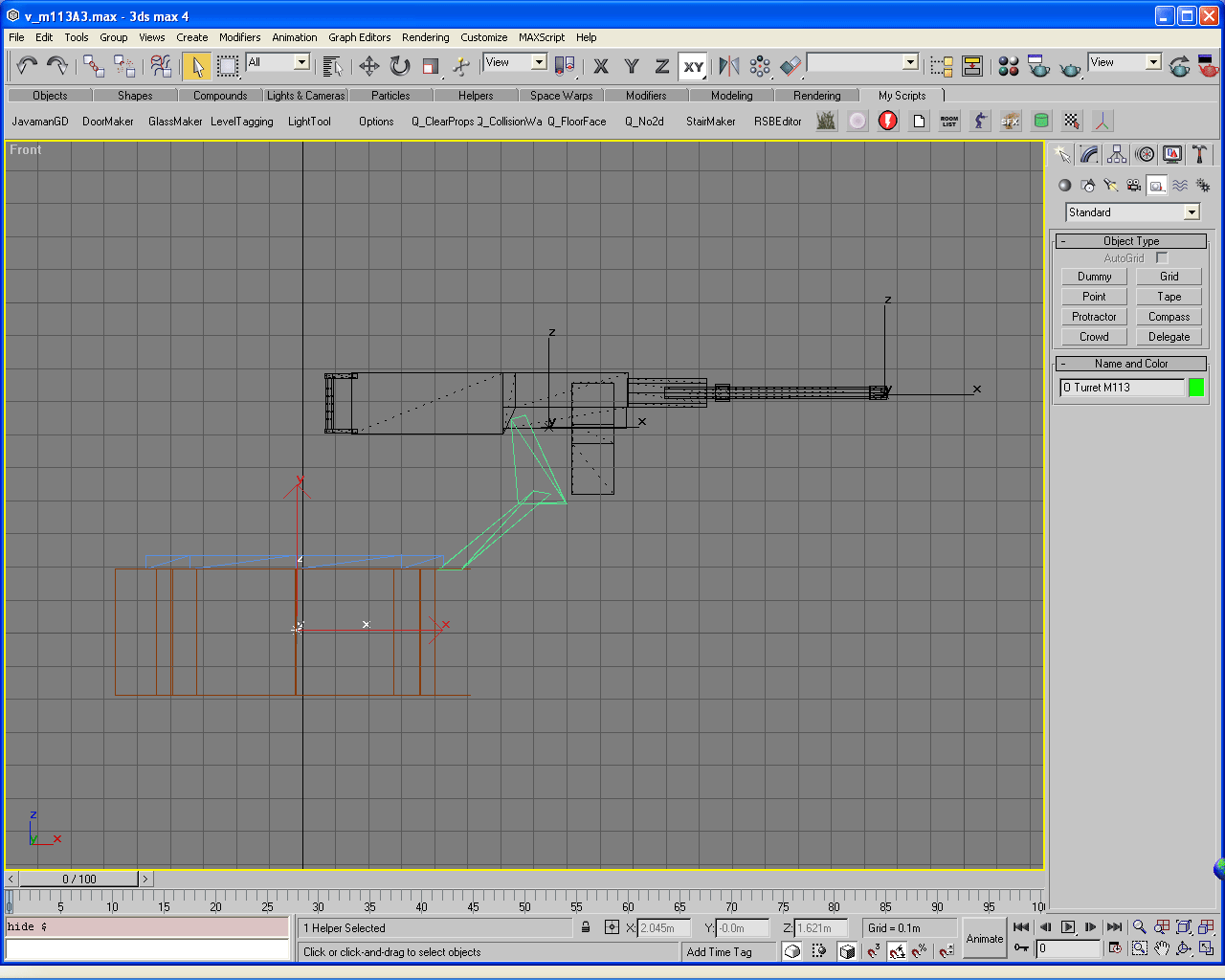
At this point I will reveal all of the mesh that encompasses the turret. All we need to add is the capital "O" tag. I placed mine in the general area of the center of it's pivot point. Try to get this in the center of the turret's pivot point. It does matter. Also at this point you need to make a decision if you are going to include damage animation in the turret. It is not necessary on this vehicle since the turret is only a machine gun. I will be covering damage animation Helper Points in the Body tagging portion. You can look at them here.
Here is what you should see in the Top Viewport:
And here is what I have after the vertical positioning in the Front Viewport:
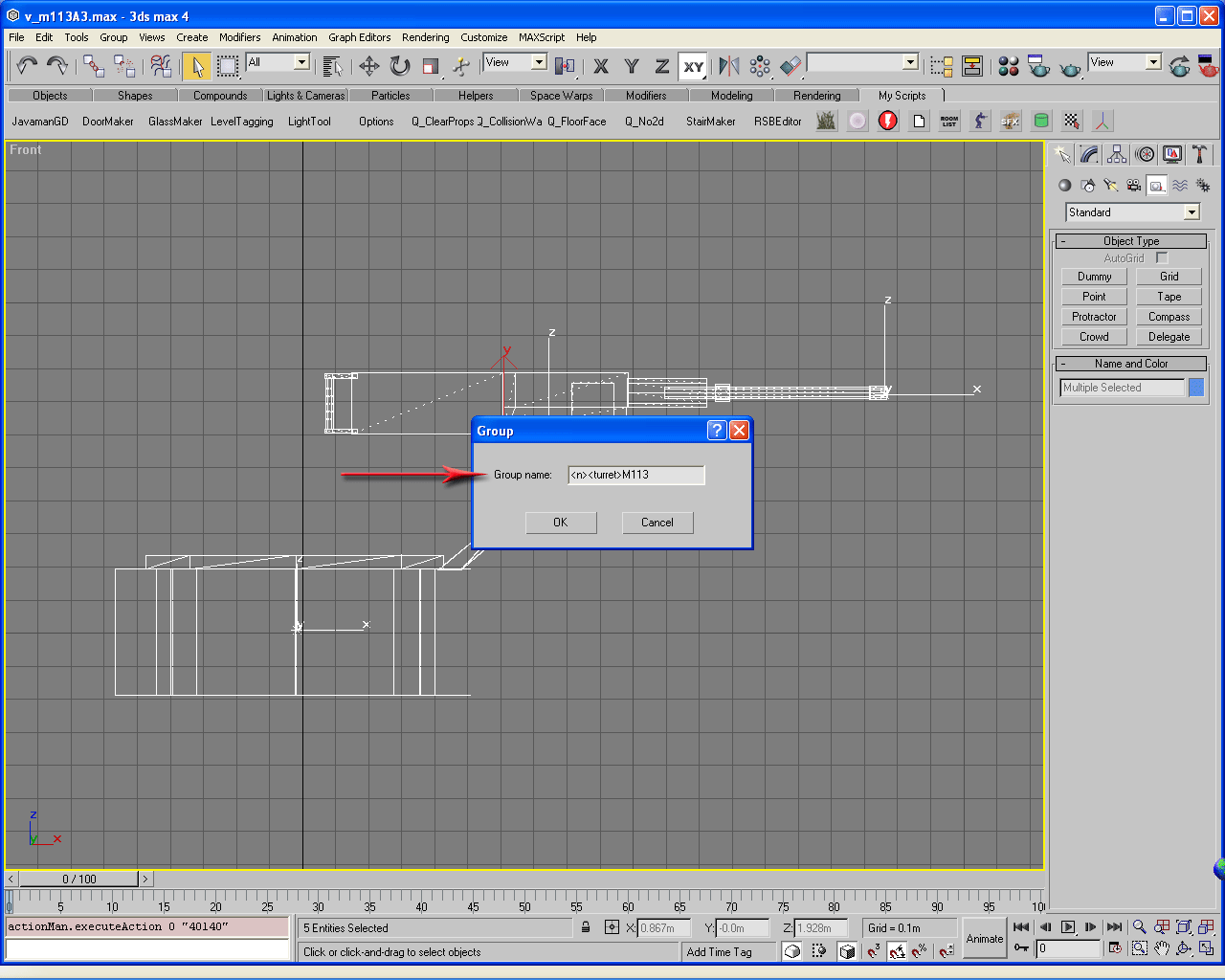
From here we will create the Turret Group. Select the visible mesh including the Main Gun mesh, go to the Group Menu, and select Group from the menu. Name your Turret Group like this: <n><turret>M113 Once again substitute the name of your vehicle for M113.
Here is how it should look:
This concludes the tutorial on creating the Turret tags. Click on the Crew button to continue.
Tom Clancy's Ghost Recon is a trademark of Rubicon, Inc. under license to Ubi Soft Entertainment.
Ghost Recon is a trademark of Ubi Soft Entertainment.