
Tagging the Passengers on the Track
 |
 |
 |
 |
 |
 |
 |
We are almost in the home stretch. At this point you need to decide if your vehicle is going to carry passengers. If not, you may skip this section and click on the Body button to continue with the last of the tagging. Since I am making an armored personnel carrier I want passengers to ride on mine. Each passenger requires two tags. A seat/shotgun tag and an eject tag.
The first passenger that I am going to add is the driver. The Helper Point Tag for the driver is always ^seat0 and ^eject0. I am going to place the driver tag in the center of the driver's compartment.
Here is a picture of what it should look like:
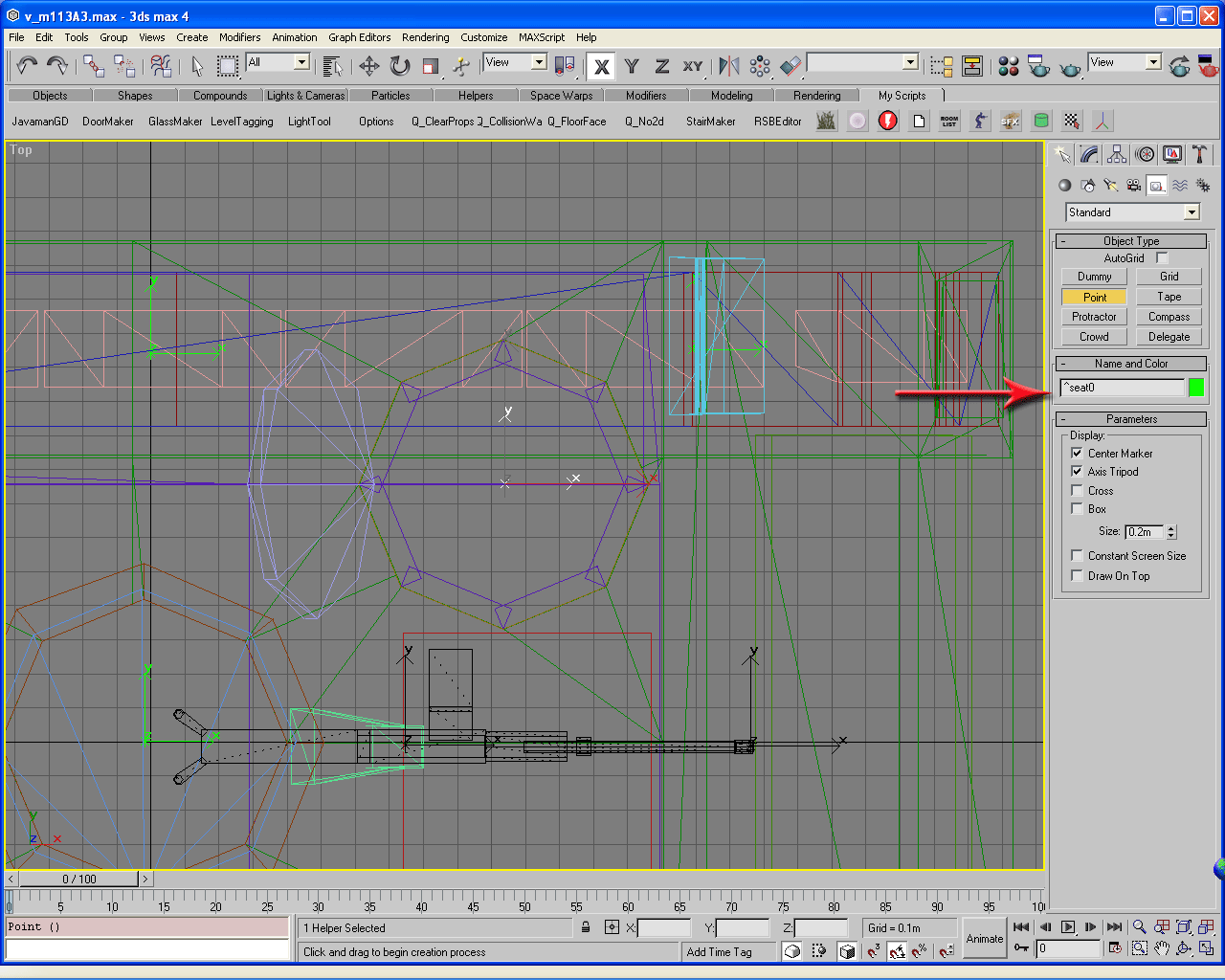
To aid me in the vertical positioning of the tag, I am going to grab the scale guy that I used to scale the vehicle to and place him in the driver's compartment to get an idea of where his ass will be when seated. Then I am going to use the Select and Move Tool to adjust the height of the Helper Point.
Here is what you should see now:

Now to keep my mind straight I will place his ejection point just to the left of the vehicle on the 0 z-plane. I could place the rest of the seat tags first but I like to get them out of the way in order. I won't need to flip back to the Front Viewport since it will be placed on the 0 z-plane from the Top Viewport. I'll move the scale guy so I can get an idea of where i want him to be.
Here is a good enough spot to place it:
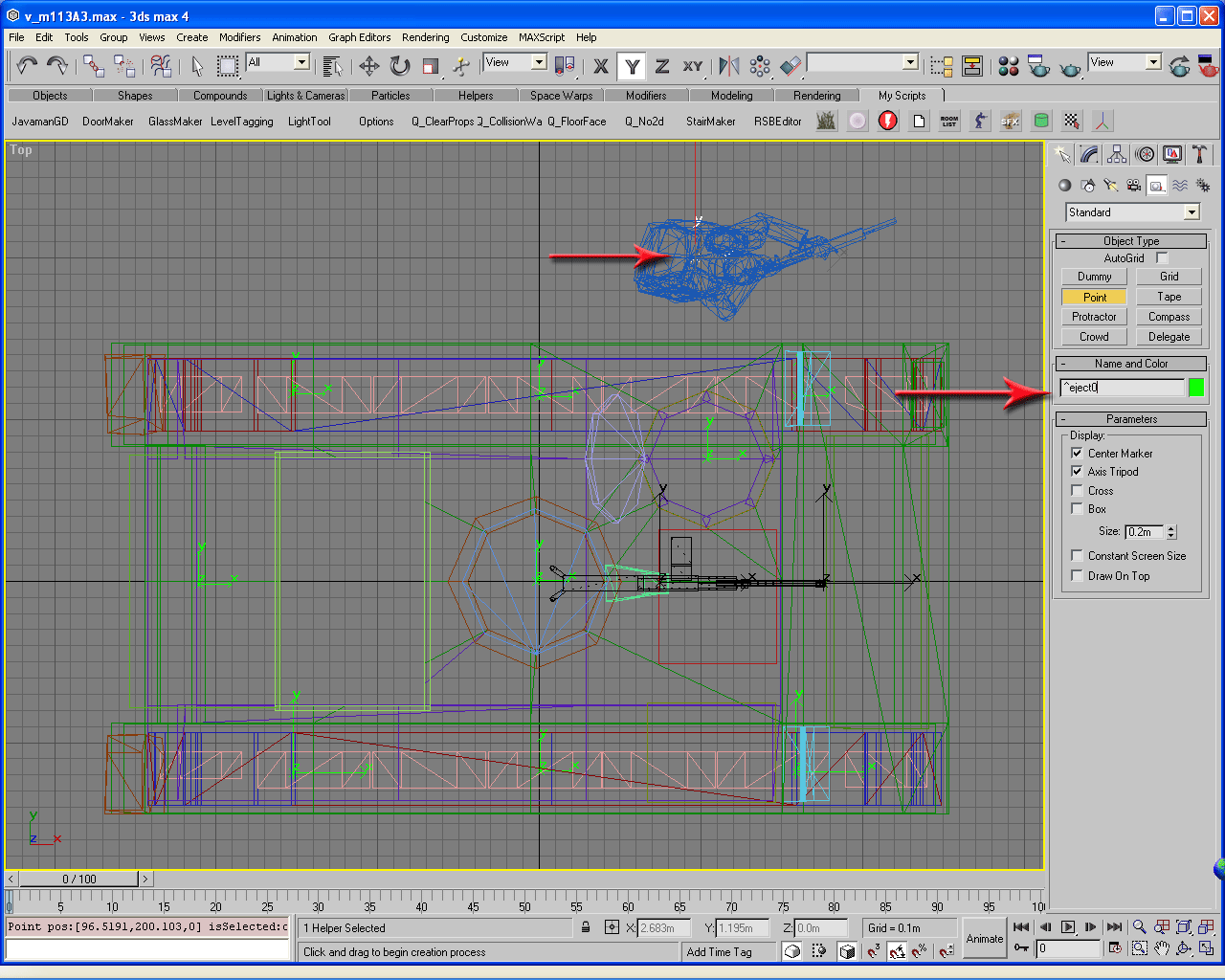
Now I want to have a couple of guys ride shotgun in the back compartment like the pickup truck passengers in Desert Siege. These tags are a little different than seat tags. They are named as follows: ^shotgun# Using the scale guy I will place my tags. I will clone him so I can place both at the same time.
Here is where I am putting the tags:

You may have noticed that I didn't place my ejection point tags. I do have a reason as you will see in a little bit. I am going to place three more seat tags in the back. This will allow end users to load a full team onto the track. It really doesn't matter where I place these since they will be out of sight from the player. I will tag these ^ seat3, ^seat4, & ^seat5.
Once that is done I am going to switch to the Front Viewport and lower the ramp so I can get a decent idea of where I want the vehicle team to unload. I will also make 3 more cloned scale guys to get the exit positioning where I want it.
Here is what I came up with:
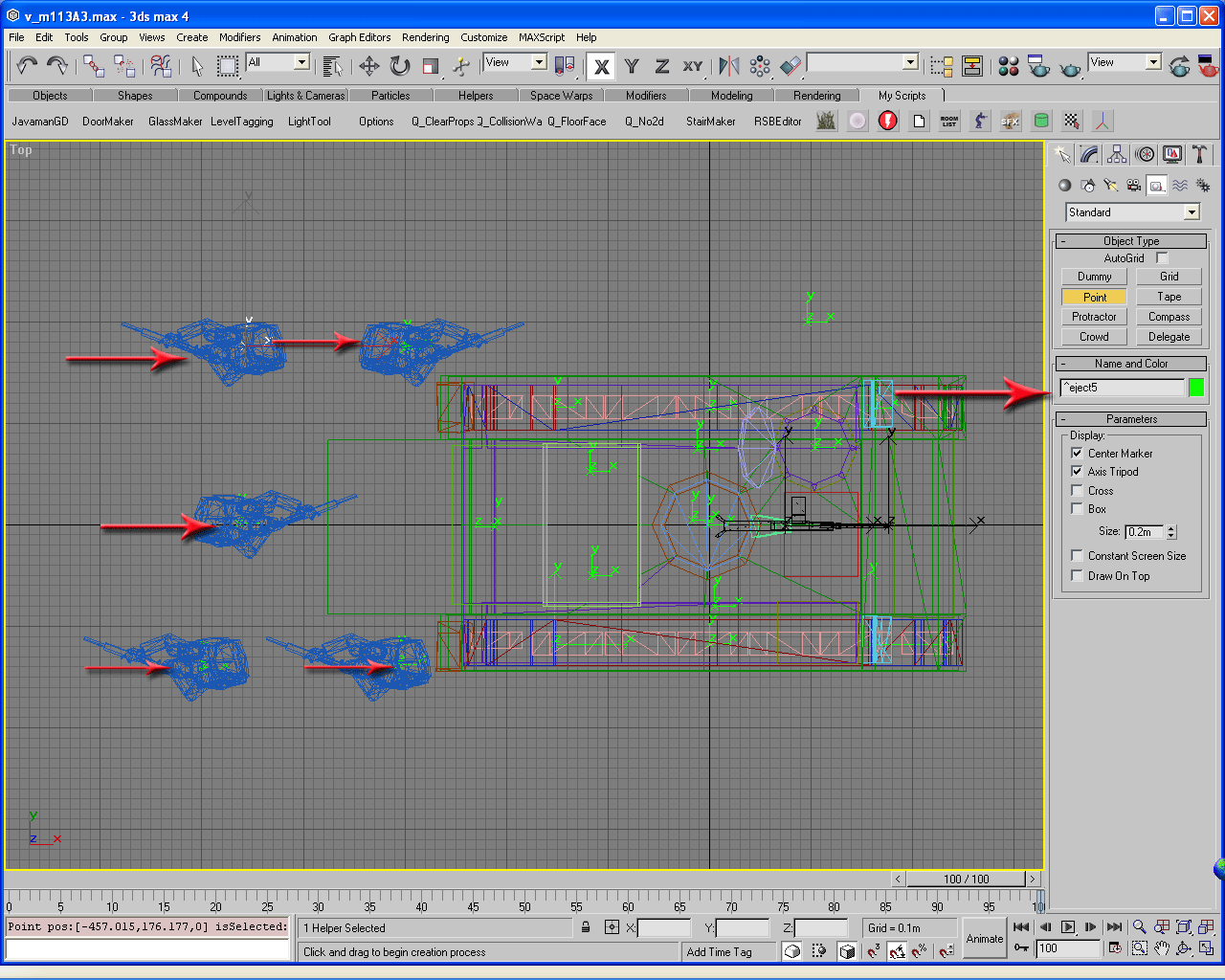
Now I can delete the scale guys. You may click on the Body button to continue on to the next section.
|
|
|
|
|
|
|
Tom Clancy's Ghost Recon is a trademark of Rubicon, Inc. under license to Ubi Soft Entertainment.
Ghost Recon is a trademark of Ubi Soft Entertainment.